Moto Fanatics Store
Solar Motorcycle Digital Clock with Date Week Temperature LCD Backlit Display Waterproof Thermometer with Motorcycle Stand
Solar Motorcycle Digital Clock with Date Week Temperature LCD Backlit Display Waterproof Thermometer with Motorcycle Stand
ไม่สามารถโหลดความพร้อมในการรับสินค้าด้วยตนเองได้
SPECIFICATIONS
Brand Name: sikeo
Built-in Device: No
Choice: yes
For: Motocycle
High-concerned chemical: none
Item Weight: 120
Material: ABS
Origin: Mainland China
Suitable for: Bike
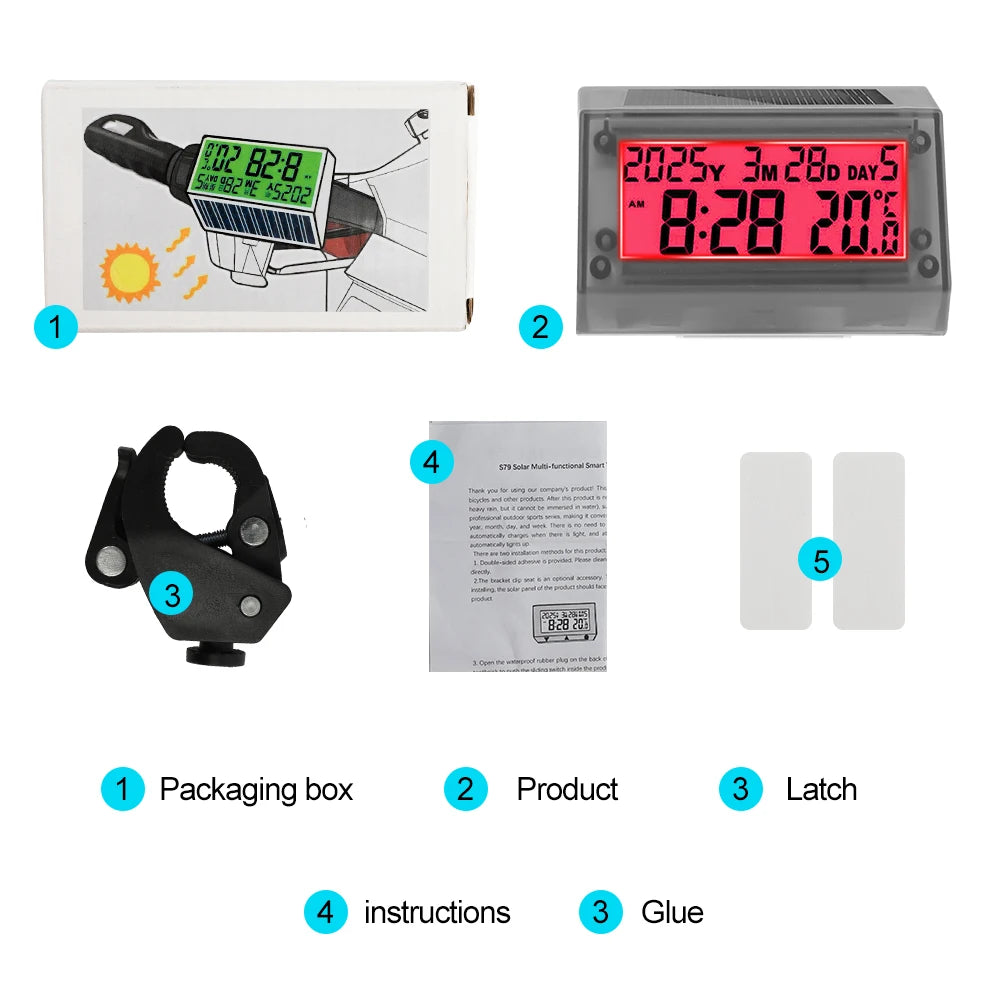
With: Exclusive motorcycle stand
Product Description
This product can be rainproof after normal installation (heavy rain is not a problem, but can not be immersed in water), sunproof, shockproof, professional outdoor sports series equipped with products, easy to check the time, temperature, day, week and other information.
Sunscreen, shockproof, professional outdoor sports series equipped with products, easy to view the time, temperature, year, month, day, week and other information.
No need to replace the battery, solar panels during the day, there is light when the automatic charging, the night vehicle movement, the product automatically bright light.
There are two installation methods for this product:
1. Double-sided adhesive is provided. Please clean the sticking position before pasting, and then paste it directly.
2.The bracket clip seat is an optional accessory. Tighten the screws and clip it on the handrail. When installing, the solar panel of the product should face the bright position, and it can continuously charge the product.

3. Open the waterproof rubber plug on the back of the product, and use a thin object such as a pen or a toothpick to push the sliding switch inside the product upwards to turn on the power.
4. This product uses touch buttons and can be operated by touching with your fingers. When operating, only operate one button at a time and then operate another button. Do not press two buttons simultaneously. The button positions are on the side below the display screen, as shown in the following figure:
The time setting operation is as follows:
△Press the or ▽ button to switch between °C and °F.
Press the ○ button for 3 seconds to enter the time setting mode, and then press the ○button again to enter the setting sequence: hour → minute → year → month → date → confirmation.
○
In the setting mode, press the up or down button to adjust the numbers up or down. Press the button to switch between the 12/24 hour modes.
In a dark environment, when the vehicle is driving, the backlight automatically turns on. In the daytime or in a strong light environment, the backlight automatically turns off. When the product freezes, please push the switch on the back of the product to turn it off, and then turn it on again after a few seconds.